DX Labs working with WSJT-X

Between acting as the Pilot Station for W1SYE’s Florida Islands Activation, I managed to install DXLabs and now have it controlling my K3s, and have pulled in all the log entries from my old HRD log.  LotW/tQSL have been configured and DXKeeper is now uploading entries to LotW.

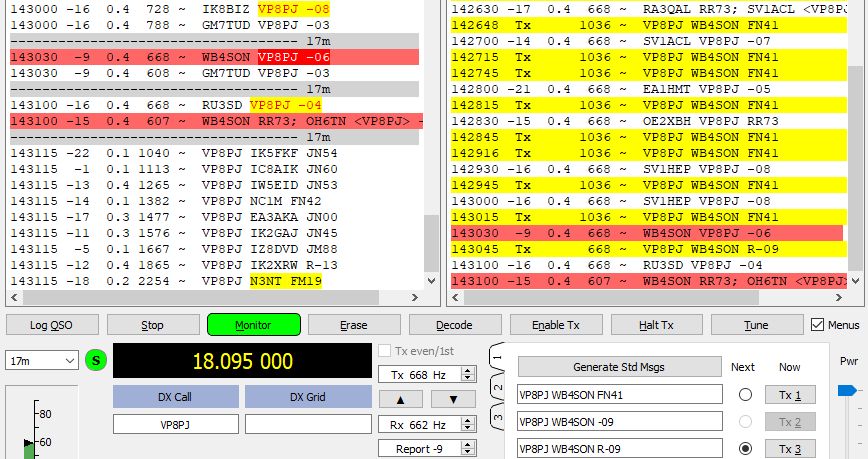
I’ve completed the setup for WSJT-X (changing over to DXKeeper), and it is working flawlessly.  It is even automatically uploading to LotW.  I’ve seen it work as 9G2HO is automatically uploading to LotW as well.  So I’ve seen a confirmation come in already, which proves things are working.

Lots to learn, but perhaps 1.5 hours spent so far today to get a logbook that actually works and doesn’t crash all the time.

No turning back.  Tomorrow I will look into QRZ and eQSL integration and get those setup as well.

Posted in DXLabs, HRD, LotW | Leave a comment

Moving on to DX Suite

I’ve been a loyal paid supporter of HRD for a decade (back when contributions were voluntary, and continuing through all the paid subscriptions.  Like many others, I suffered through the exploits of one of the owners, who was quite toxic, and was overjoyed when he was asked to move on.  Immediately following that, life seemed to be wonderful with frequent updates.

One or two years ago, HRD released a update which broke the log program.  The symptom was either a crash of the log, or very slow (40 second or more QRZ lookup).  The owner group was rather quick to fix that.

Sometime late last year, another update broke the same way.  There hasn’t been an update to fix things in months, and the processing of sub-modes for FT4 still hasn’t been fixed months later.

Bottom line is I am done.  I’m so frustrated with Ham Radio Deluxe, that it is worth the effort to change over to another system.

Within an hour I have brought everything over from HRD into DXKeeper, part of the DX Suite of software.  Lots of stuff to configure, of course, but I have things mostly working.

While I will miss the HRD Digital program that supported almost every digital mode, these days the world is mostly RTTY/PSK/FT8/FT4.

Posted in HRD | Leave a comment

8000 Confirmations in LotW

Last time I reported this metric, was in May of 2018, when 6,001 confirmations had been recorded in LotW.

Today confirmation 8,000 was received in LotW.  What an amazing system.  Thanks ARRL!!

Posted in LotW | Leave a comment

Where we wound up: ID-5100 Programming for the Blind

Over the past few days I’ve put in about 18 hours trying various methods of programming the ID-5100 so it would be useful for a blind ham.  I’ve discussed the problems with the radio and its very limited speech synthesizer in the past couple of posts.  To recap significant issues:

  • The Speech Synthesizer will only announce frequency (not channel, not name).
  • While the radio defaults to a dual screen mode (left/right), there is only a single “HOME” button, which means there is no way for a blind ham to find where they are on one of the two sides.  Not even a ‘beep’ when the knob is rotated to channel zero
  • Loading programming from the SD card sometimes results in the radio staying configured as it was, and other times knocks it into dual screen mode. It would be nice if the only thing it did was load the channel memory and not mess up the screen settings.
  • The entire surface of the screen is active, and if a blind ham accidentally brushes up against the screen it can enter a menu that the ham can’t get out of.  Fortunately cycling power usually brings thing back.  But…
  • The DR (Digital Repeater) function is sticky.  If you accidentally get into DR mode, cycling power won’t get it back.  And that mode is simply not usable by a blind ham as they can’t locate and follow the screen prompts (which are NOT announced by the Speech Synthesizer).  The only way a blind ham knows they have fallen into the DR mode is that turning the channel knob will announce different call signs of the DSTAR repeaters.  Upon hearing that, the ham needs to press the DR button to toggle it out of that mode.

What we decided to do is the following:

  • Set the radio in a single screen mode, in MR Mode
  • Program all the local repeaters, simplex channels, and DSTAR into the first 99 memories (called ‘ALL’).
  • Program channel zero as the local NOAA Weather Channel — since this is on 24×7, that makes for a nice audio reference that says we are on channel zero.  Pressing the ‘HOME’ button will bring us to that channel.
  • Clockwise rotation of the channel knob will move to higher channel numbers, which we used for Analog Repeaters and Simplex channels.
  • Counterclockwise rotation of the channel knob (away from the Home) brings us to our DSTAR repeater.  That is channel 99.  That’s the position we use to chat through the DSTAR repeater normally.  Lower channel numbers provide Information, Echo, Unlink, and various Reflector Link Commands.  After using those commands we have to remember to get back to channel 99 before speaking (press home then one click counterclockwise).

There are likely different ways to accomplish the same thing.  I hope someone has an easier way to use the radio for a blind ham.  But the above is what 18 hours of effort produced.

Relatively minor changes to the radio firmware, such as optionally reading the ‘Name’ field from the programming, giving the channel number rather than the frequency, and having a left side/right side ‘HOME’ program would have made things MUCH easier.  Despite decades of awareness and legal requirements like the ADA, it is still very much a sighted world.

Posted in D-Star, From the OM, Gear, Sightless Hams | Leave a comment

Stymied with ID-5100 Programming

My struggles continue to get a useful programming set for Ryan’s ID-5100.  I’ve been at this for many hours over the past few days.  Every time I think I’ve worked out something that might be useful, some quirk shows up that turns it into a dead end.

At one point I thought I would take advantage of the dual sides of the radio.  Use the Left Side (normally called “A”) for DSTAR and the Right Side “B” for Analog.  My thinking was that there are far more Analog repeaters in the area, and that would simplify what has to go on with the DSTAR side.

So I programmed all the active channels into the “ALL” memory list.  Then I set the right side of the radio to work on Bank A (which I labeled “Analog”) and the left side to Bank B (which I labeled “DSTAR”).  I thought I was all set.  However Icom proved me wrong for two reasons.  On the DSTAR side, ALL the memories have the same frequency (because they are for the same DSTAR repeater, but have different “URCALL” functions).  So the Speech Button says the same thing as you rotate the knob.  And the WORST thing is there is only a single “Home” function (which beeps when you get to it).  If you defined home as Channel 1 on the B side (analog), and happened to be on the A side for DSTAR, then hit the home button, it will change the left side of the radio to be on the “B” bank — DANG.  With only a single HOME, that meant you could not tell where you were in the channel list on the DSTAR side. DOUBLE DANG.

After much head-butting, I’ve decided to go back to a single list of all repeaters in the area, with the repeaters most commonly used in lower memory slots.  I then set up memory slot 0 to be the local Weather Station.  So it is easy for Ryan to find “home” — he turns the dial until he hears the weather broadcast.  From that position, if he rotates clockwise, he will step through the analog channels, and he can hear the frequency readout.  As long as he memorizes that he’s fine.  Then on the DSTAR side, I put his DSTAR Repeater into channel 99, then the Info function into 98, Echo into 97, Unlink into 96, Link to Ref069C in 95, etc.  So he can find the home position then count clicks counterclockwise to get to the function he needs.  At least the DSTAR Repeater will announce what he is linked to, so he will get audio confirmation.

Sadly this involves a LOT of memorization and careful counting of knob clicks to be useful for a sightless ham.  Icom has shown their synthesizer can speak any number or letter.  Would it have been so hard for them to announce channel number when in the Memory Recall Mode (channels), or frequency when in the VFO Mode?  And how about allowing the user to optionally hear the alphanumeric “Name” field?  Sure would have been nice to hear “W1SYE INFO” when the knob is rotated to that slot.

Posted in D-Star, Sightless Hams | Leave a comment

A Plea to Amateur Radio Gear Designers

I’ve commented a few times about a young ham that I spent about 18 months getting ready for his Technician License.  This was a bit more difficult journey due to Ryan being blind.  After a year of being on the air, the ham radio bug has bitten him full force, and he is now an excellent Phone Contest Operator.  The best news is that we are about half way through his General License.

As difficult as passing the exam was for Ryan, it is painful to see how absolutely horrible modern radio gear is to operate, when you put yourself in the shoes of a blind person.  While Kenwood does a reasonable job on some of their radios, I have to say that Icom should be the poster boy of how NOT to do things (as a sighted ham, I am a big fan of Icom gear and use several of their radios daily).

To expand Ryan’s horizons beyond local repeaters, he really wanted a DSTAR radio for Christmas.  In order to have a RF solution that can reach the local DSTAR repeater, that meant something more powerful than the Kenwood THD74 (which I’ve helped another blind ham use).  Ryan was given an Icom ID-5100A for Christmas.

One would think that the presence of a “Speech” button on the front panel meant that Icom had thought things through.  Sadly that isn’t the case at all.  The radio will announce the frequency of the active VFO or memory channel, and the mode (FM or DV – sometimes), but nothing more (although it will announce a call sign if you are in the DR mode, which can’t be used by a sightless ham).  Really?

How is a blind ham supposed to move through dozens of repeater channels by frequency alone?  The speech module can clearly read any text phonetically.  Why not announce a channel NUMBER and call sign/location?  It should have been possible.

My biggest concern is the large front panel touch screen.  Accidentally brushing up against that screen can drive you into a menu system that a sightless ham cannot navigate at all (as the backup button appears in different locations on the screen).  Fortunately, for the most part, you can get back to someplace reasonable by cycling power (not an optimal approach)

More horrifying is the “DR” Digital Repeater Mode.  If you accidentally bump that button, you are stuck in that mode, where Icom has a list of DSTAR repeaters (that hasn’t been updated in five+ years I might add).  Cycling power won’t get you out of it!  Essentially one bump and the rig is rendered useless to a sightless ham.

All vendors can do better.  This stuff isn’t rocket science.  Simply close you eyes and try to use your rig.  Effective solutions can be achieved with a bit of effort.   Ironic that the maligned $25 BaoFeng UV5R can be operated by a sightless ham since every keystroke is announced by their speech function.

Hams seem to LOVE bells and whistles.  This has driven vendors to use touch screens and deep menu systems.  These are hard enough for a sighted ham, and impossible to use without decent speech synthesis for blind hams.


Posted in D-Star, From the OM, Gear, Sightless Hams | Leave a comment

Goals for 2020

After some consideration, these are my goals for 2020

  • Teach a Technician Class
  • Reach 275 Confirmed Countries in DXCC
  • Reach 90 Confirmed Countries on 160-Meters
  • Reach 1450 Band-Points in the DXCC Challenge
  • Reach 40 confirmed states on satellite

Obviously some of the on-air goals are getting more difficult, as progress on DXCC slows down (at the mercy of when rare country activations happen), and simple geometry prevents one from making WAS via Satellite from the East Coast.

Posted in Goals | Leave a comment

Happy New Year! 2019 in Review

Happy New Year!

What a busy year for me in Amateur Radio.  I managed to complete all but one of my goals:

  • Teach a Technician Class (Taught two)
  • Reach 270 Confirmed Countries in DXCC (Made 271)
  • Reach 60 Confirmed Countries on 160-Meters (Made 83 plus one QSL)
  • Reach 1375 Band-Points in the DXCC Challenge (Made 1408)
  • Reach 30 confirmed states on satellite (Made 37)
  • 3D Print an electronics project case

I also discovered and completed the VUCC Satellite in 2019, which was a major accomplishment.  This required confirmed satellite contacts with 100 different grids.

Posted in From the OM | Leave a comment

Happy December!

So little time to complete my 2019 goals.  Only one remains unfinished, but several other things were accomplished.  We shall see.

In any event the past couple of months have been nice for me with respect to Ham Radio.  I’ve picked up a few more countries on 160m, a few more states on FT4, and several boxes of no longer needed “stuff” were sent out to recycling.  I’m two classes away (plus the exam) from finishing up my second Technician Class of the year.

Not that is has a whit to do with Amateur Radio, but December 1st brought the first snow to Rhode Island — not much, about 0.3″, but a taste of things to come.  Others to the North and West of us will have a foot or more.

Posted in 160-Meters, FT4 | 1 Comment

K1EL Paddle Stick Keyer Kit

In early 2018, a friend of mine came to one of our radio club breakfasts with a fun gizmo he had built from a kit; a K1EL Paddle Stick Keyer (PS2B).  At the time we had been discussing possible “Hands-on” build night kits for the club.  I was immediately taken with the simplicity of the kit, and actual utility.  Put it together and you’ve got a full blown memory keyer capable of interfacing to any modern radio.

Now I need another paddle like a submarine needs a screen-door (I have shelf of different ones from Begali, N3ZN, Bencher and others), but I decided to purchase one to see how quickly it goes together and how well it works.  It took a total of about 2 hours to put together, nothing was complex, the manual was very complete and useful.  In terms of its operation, it works as advertised.  It doesn’t claim to be a $500 precision mechanical paddle, its a $60 kit that uses capacitive touch sensing.  It is perfectly adequate for CW practice, teaches good paddle techniques, and doesn’t break the bank.

Sadly, these are no longer kept in stock by K1EL, which has introduced a lower cost “Morse Tutor” without paddle (using touch-pads on a PCB).  Unfortunately that does not teach proper paddle skills.

Posted in CW, K1EL, Soldering | 2 Comments